

Export
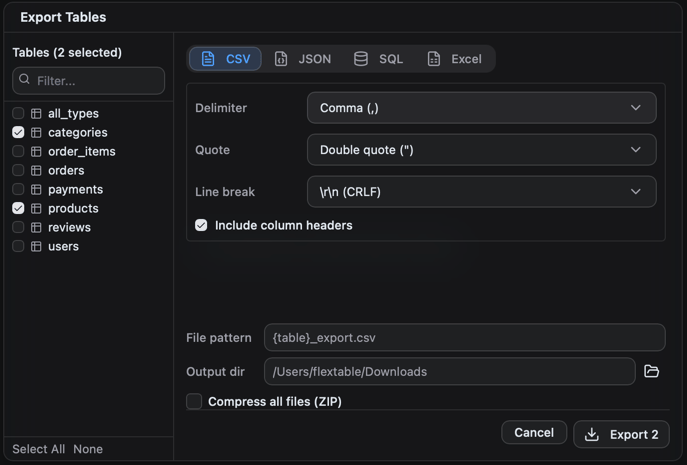
Click Export on a result or table and choose a format:1
Open a table or run a query
2
Click Export
3
Pick a format and options, then choose where to save
Import
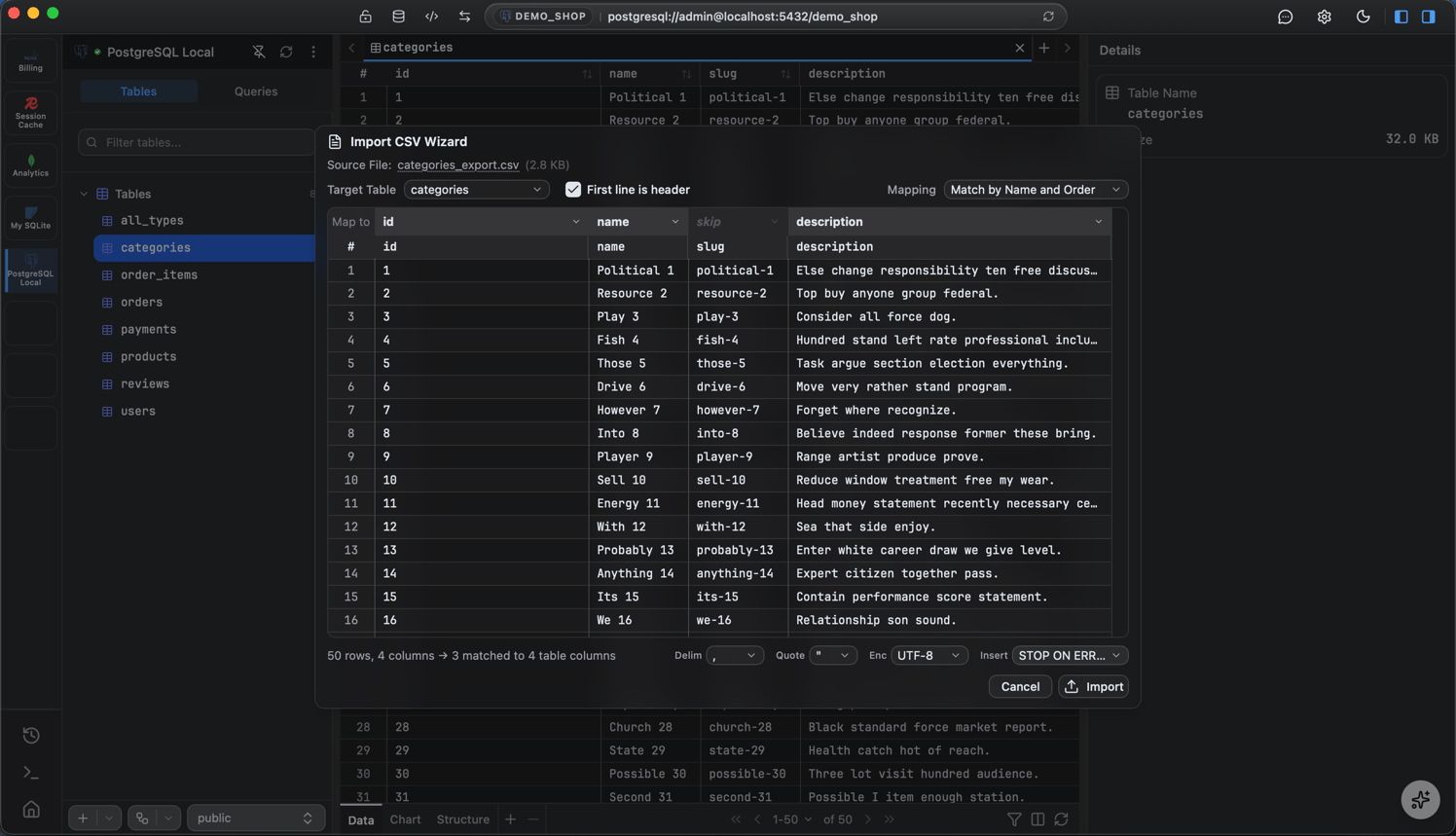
Bring a file into a table:1
Choose Import on the target table
2
Pick the source file
3
Map the file's columns to the table's columns
4
Run the import
Excel is export-only, there is no
.xlsx import.Stop an import or export
You can stop an import or export while it runs. FlexTable reports the outcome the same way the query editor does (see Stop a running query). For example, an import that was stopped partway may already have saved some rows, so check the table before running it again.Whole-database backups
Import and export move per-table data. To copy or restore an entire database, use Backup and restore.