

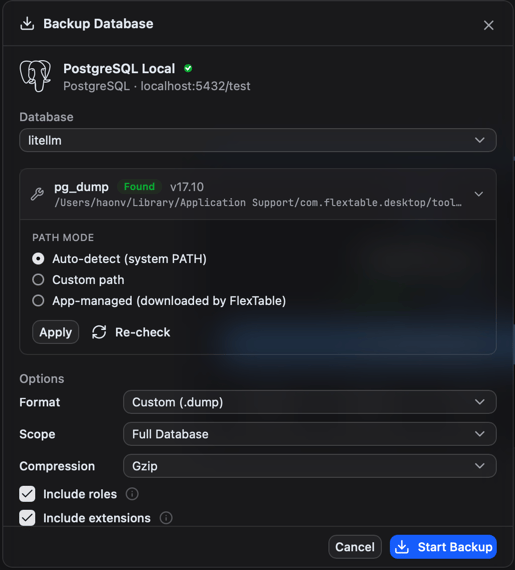
Tools, handled for you
Backups use each engine’s native client tools (pg_dump / pg_restore, mysqldump, mongodump / mongorestore, and the SQLite and Redis equivalents). FlexTable downloads and verifies the version-matched tools automatically and shows their status, so a backup taken here is compatible and you never hunt for a matching CLI.
Back up
1
Choose Backup on a connection
2
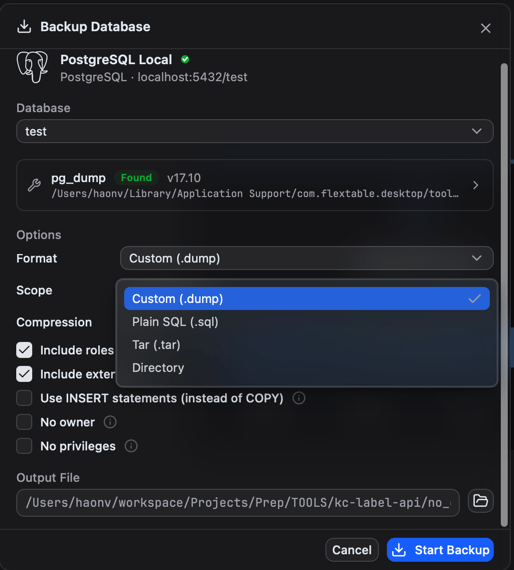
Pick the options for that engine
- Format - for example PostgreSQL custom or plain SQL, a MongoDB archive, a MySQL SQL dump, a SQLite file copy, or a Redis snapshot.
- Scope - the whole database, or selected tables/collections.
- Compression - optional, to shrink the output.
3
Choose where to save and run it
Progress is shown as it works.
Restore
1
Choose Restore on a connection
2
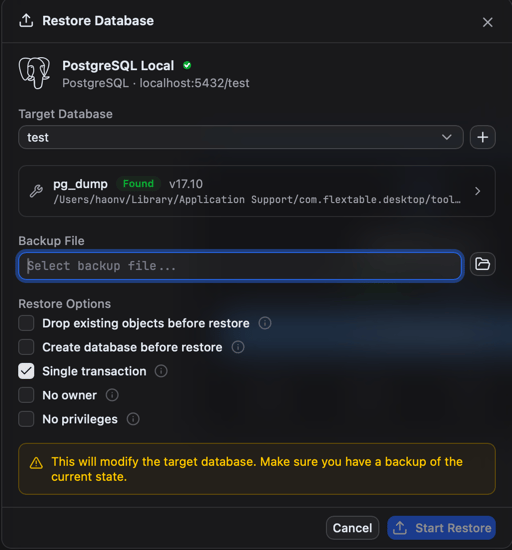
Pick the backup file
FlexTable auto-detects the format.
3
Set restore options (for example the target database) and run
Per-table data
For CSV/JSON/SQL/Excel of a single table, use Import and export instead.