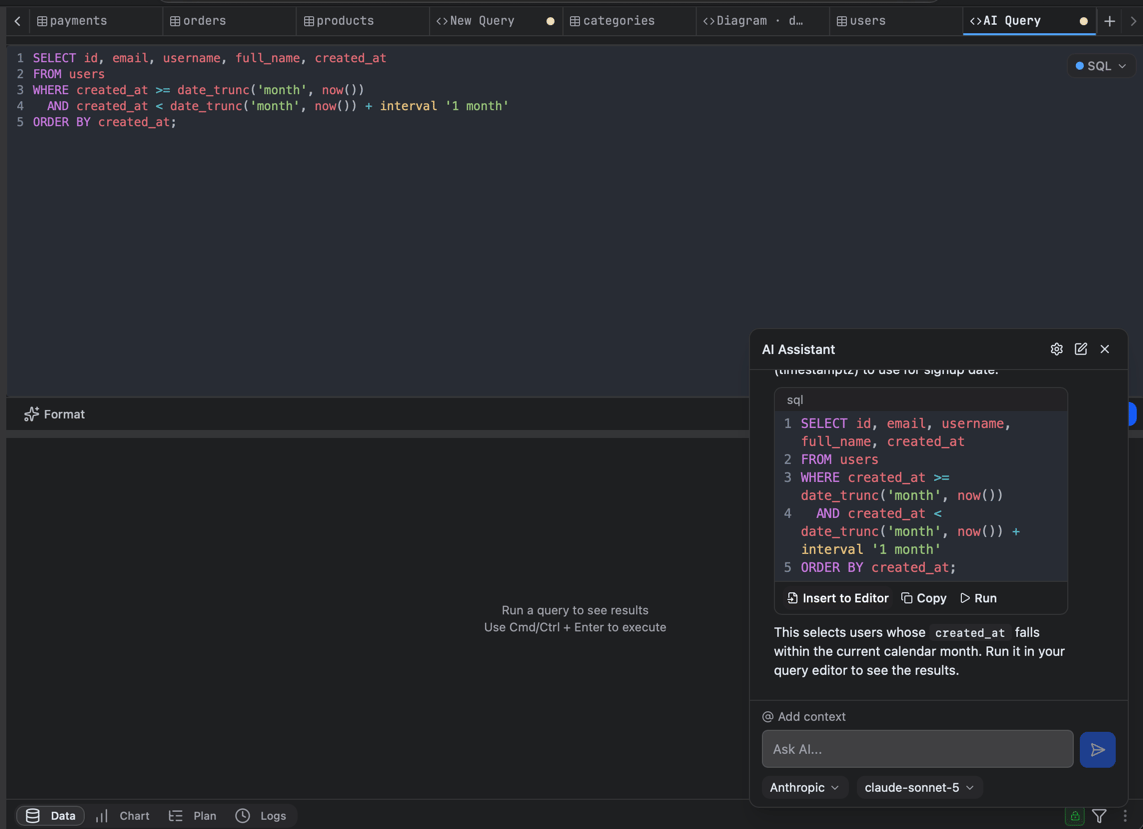
Ask the assistant to generate a query from a plain-language description, explain an existing query, or help you debug, with awareness of your current database’s schema. The AI Assistant

Bring your own key

For privacy and security, FlexTable ships with no AI keys; you connect your own provider. Your key and requests go directly from the app to the provider you choose, nothing is routed through FlexTable.
1

Open Settings, then AI Assistant

2

Choose a provider

Built-in providers: Anthropic, OpenAI, Google, OpenRouter, DeepSeek, GitHub Copilot, Ollama.
3

Enter your API key and select a model

4

Save
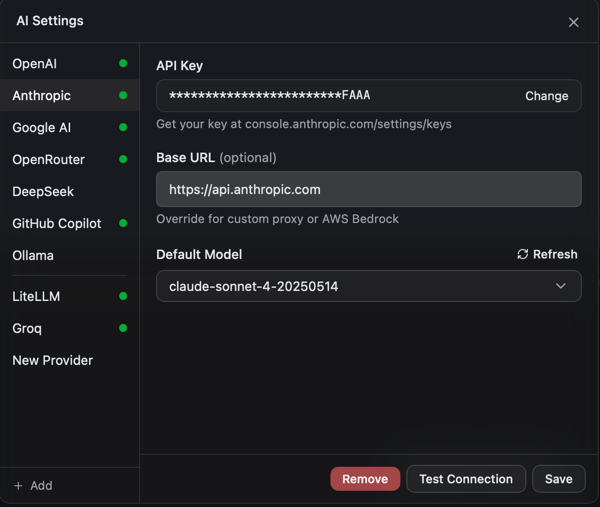
AI provider setup
The built-in providers above are free (you bring your own key). Adding a custom provider with your own base URL (a self-hosted, proxy, or OpenAI-compatible endpoint) is a PRO feature.
Local models too. With a custom provider you can point the base URL at a local runtime (for example an Ollama-compatible endpoint) to keep everything on your machine.

Use it

  • Describe what you want (“top 10 customers by revenue this month”) to get a query.
  • Paste a query and ask for an explanation or a fix.
  • Run the suggested query directly in the editor.
The AI provider you choose receives the query and schema context you send it. When your data is sensitive, use a provider you trust. See Security and privacy.