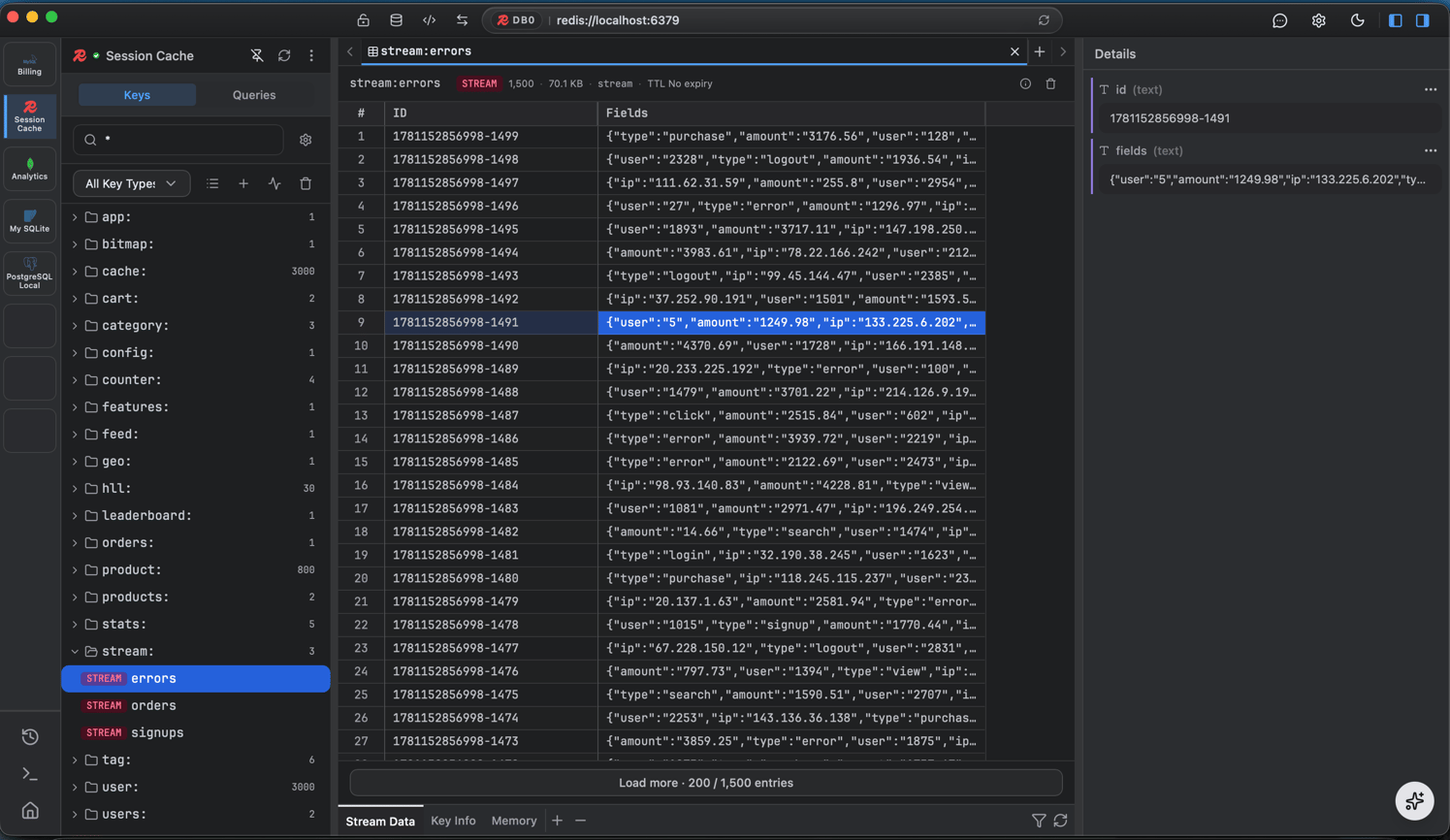
Keyspace browser
- Scan and filter keys by pattern, with TTLs shown right in the list.
- Value panels - a tailored view per type: string, hash, list, set, sorted-set, and stream.
- Filter within a key’s entries.
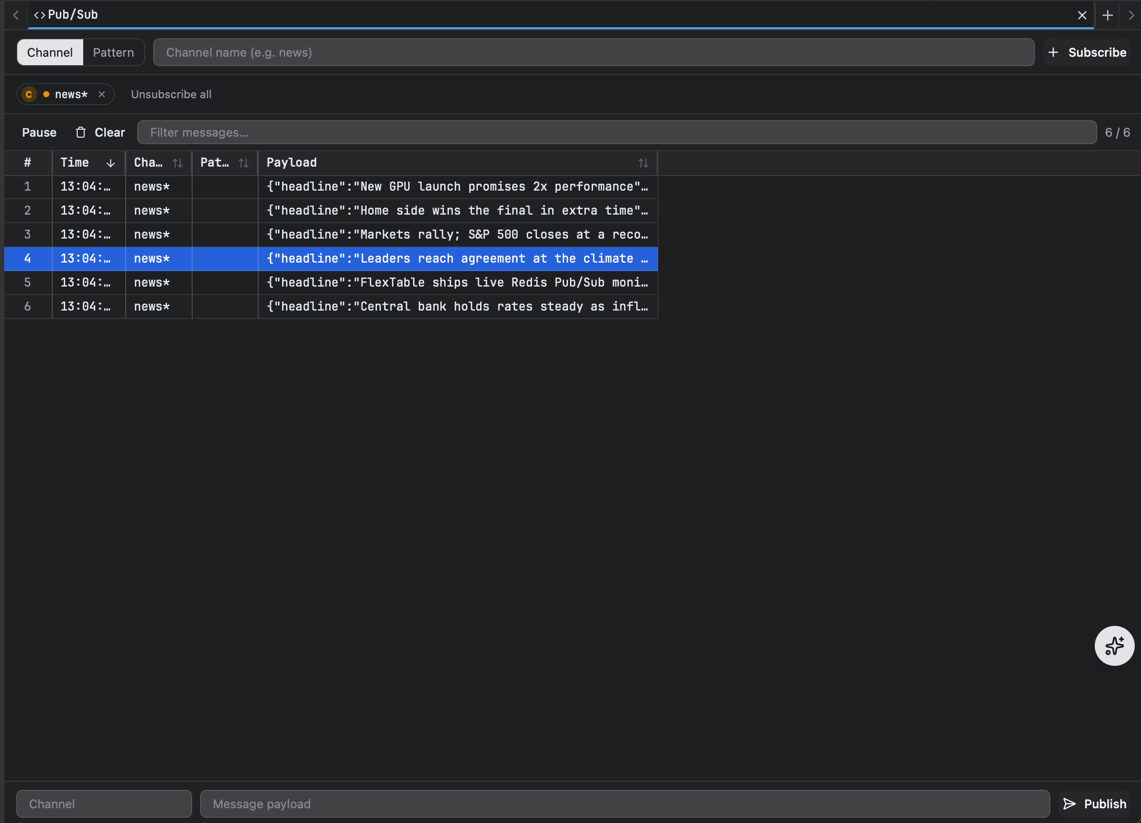
Pub/Sub, live
Subscribe to channels or patterns and watch messages stream in live, a virtualized high-volume feed that stays smooth under load, with safe subscribe/cancel and message batching. You can publish to a channel right from the app.