> ## Documentation Index
> Fetch the complete documentation index at: https://docs.flextable.dev/llms.txt
> Use this file to discover all available pages before exploring further.
# Schema and ER diagram
> Explore table structure and relationships, including an auto-generated entity-relationship diagram.
## Structure view
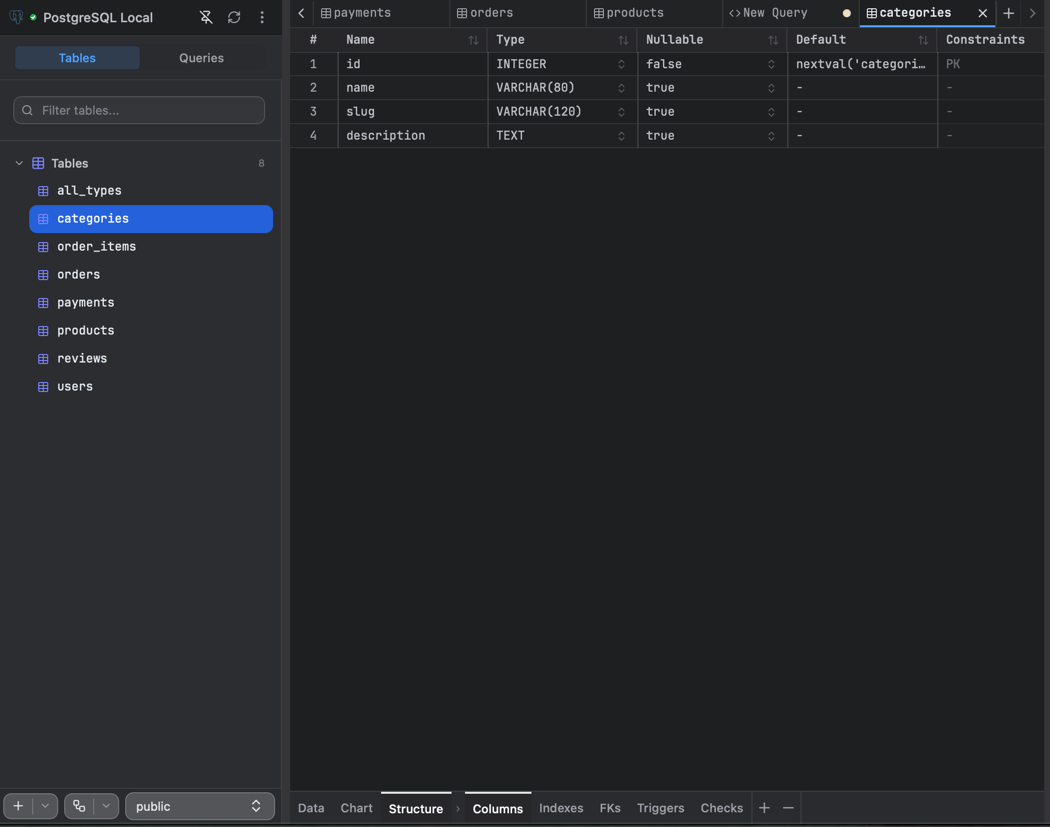
Switch a table to its **Structure** tab to see how it is built:
* **Columns** - name, type, nullability, default, and keys.
* **Indexes** - including uniqueness.
* **Foreign keys** - relationships to other tables.
* **Triggers** - where the engine supports them.
 ## ER diagram
Open the **Diagram** tab to see your tables and their relationships as an entity-relationship diagram, a quick way to understand an unfamiliar schema.
## ER diagram
Open the **Diagram** tab to see your tables and their relationships as an entity-relationship diagram, a quick way to understand an unfamiliar schema.
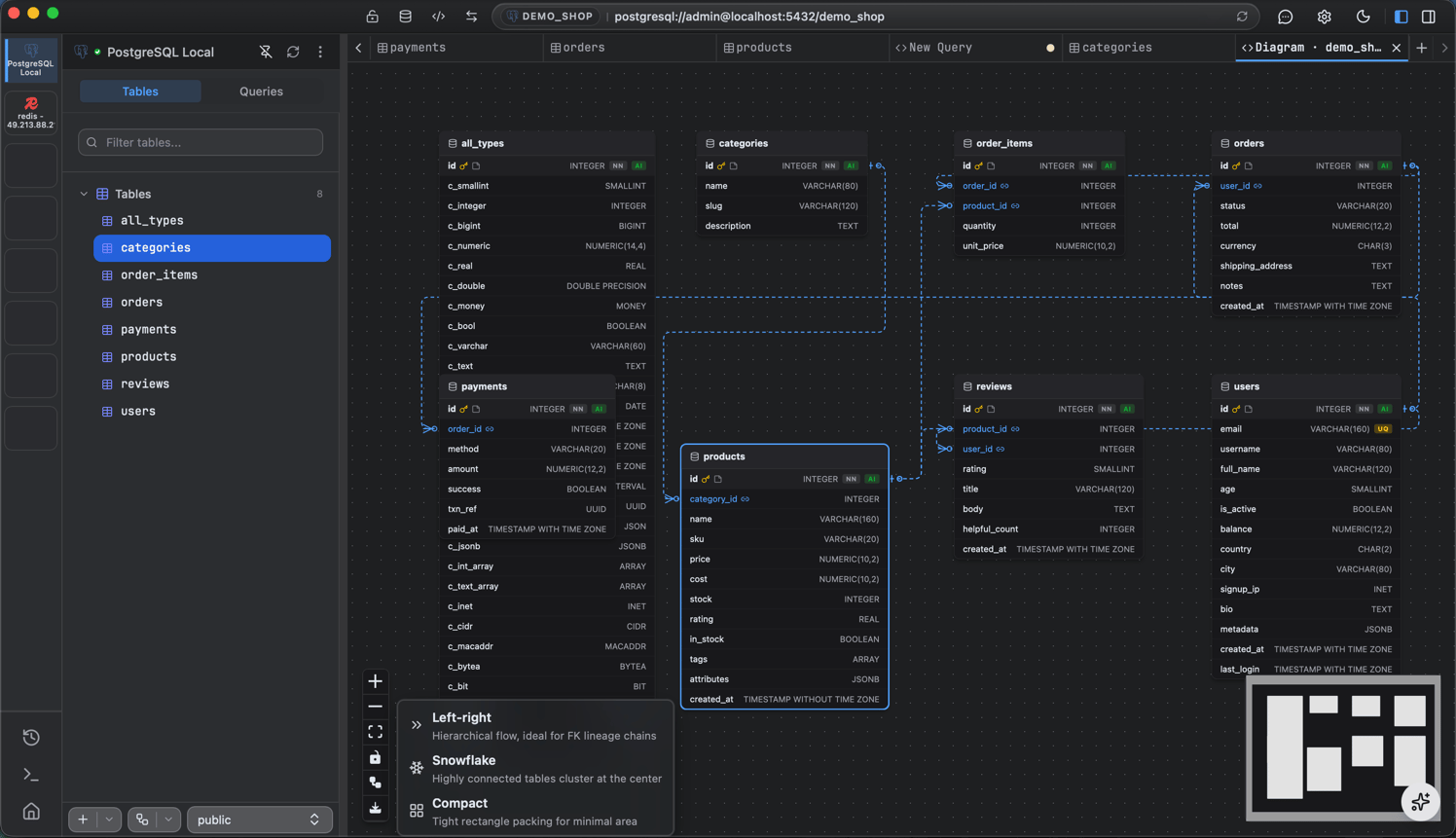 **Foreign keys become lines.** Relationships detected in the schema are drawn automatically.
Viewing the structure and the diagram is free. **Exporting** the diagram (PNG, SVG, or DBML) is a PRO feature.
**Foreign keys become lines.** Relationships detected in the schema are drawn automatically.
Viewing the structure and the diagram is free. **Exporting** the diagram (PNG, SVG, or DBML) is a PRO feature.