> ## Documentation Index
> Fetch the complete documentation index at: https://docs.flextable.dev/llms.txt
> Use this file to discover all available pages before exploring further.
# Import and export
> Move data in and out of FlexTable as CSV, JSON, SQL, or Excel.
## Export
Click **Export** on a result or table and choose a format:
| Format | Use | License |
| --------- | ----------------------------------- | ------- |
| **CSV** | Spreadsheets, generic tooling | Free |
| **JSON** | APIs, document stores | Free |
| **SQL** | `INSERT` statements (SQL databases) | PRO |
| **Excel** | `.xlsx` workbook | PRO |
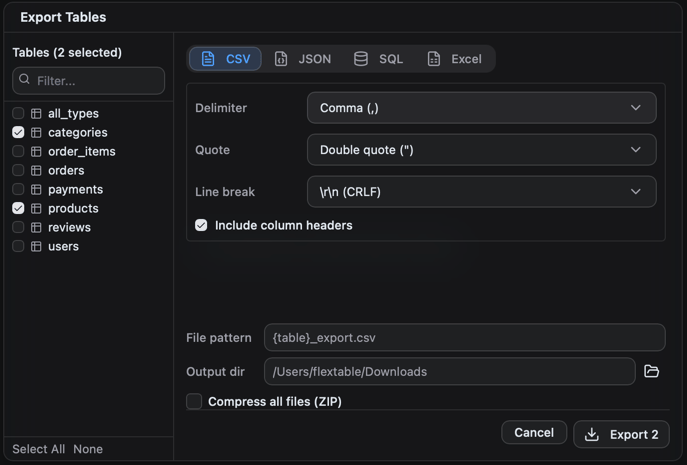 SQL and Excel export are PRO, and **exporting more than one table at once** (multi-table export) is PRO. CSV and JSON export of a single result or table are free.
**Export what you see.** Filtered exports respect the filters applied in the grid; only the matching rows are written.
## Import
Bring a file into a table:
| Format | License |
| ----------------------------------------- | ------- |
| **CSV** | Free |
| **JSON** | Free |
| **SQL** (run a `.sql` file of statements) | PRO |
SQL and Excel export are PRO, and **exporting more than one table at once** (multi-table export) is PRO. CSV and JSON export of a single result or table are free.
**Export what you see.** Filtered exports respect the filters applied in the grid; only the matching rows are written.
## Import
Bring a file into a table:
| Format | License |
| ----------------------------------------- | ------- |
| **CSV** | Free |
| **JSON** | Free |
| **SQL** (run a `.sql` file of statements) | PRO |
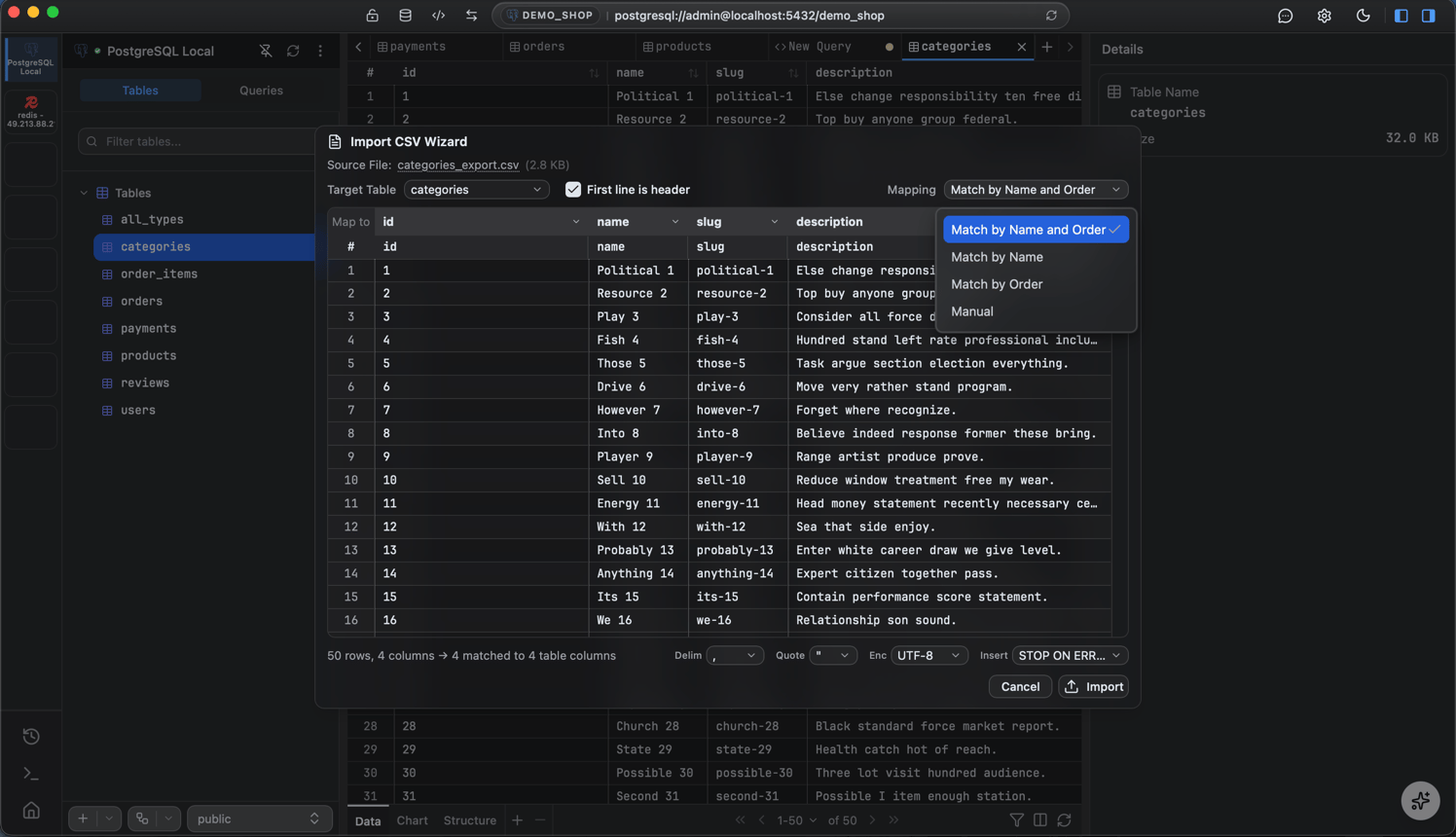 SQL import is PRO; CSV and JSON import are free. Excel is export-only, there is no `.xlsx` import.
Import and export move per-table data. To copy or restore an entire database, use Backup and restore (PRO).
SQL import is PRO; CSV and JSON import are free. Excel is export-only, there is no `.xlsx` import.
Import and export move per-table data. To copy or restore an entire database, use Backup and restore (PRO).