> ## Documentation Index
> Fetch the complete documentation index at: https://docs.flextable.dev/llms.txt
> Use this file to discover all available pages before exploring further.
# MongoDB
> Browse collections and documents, read Extended JSON, and run shell-style queries.
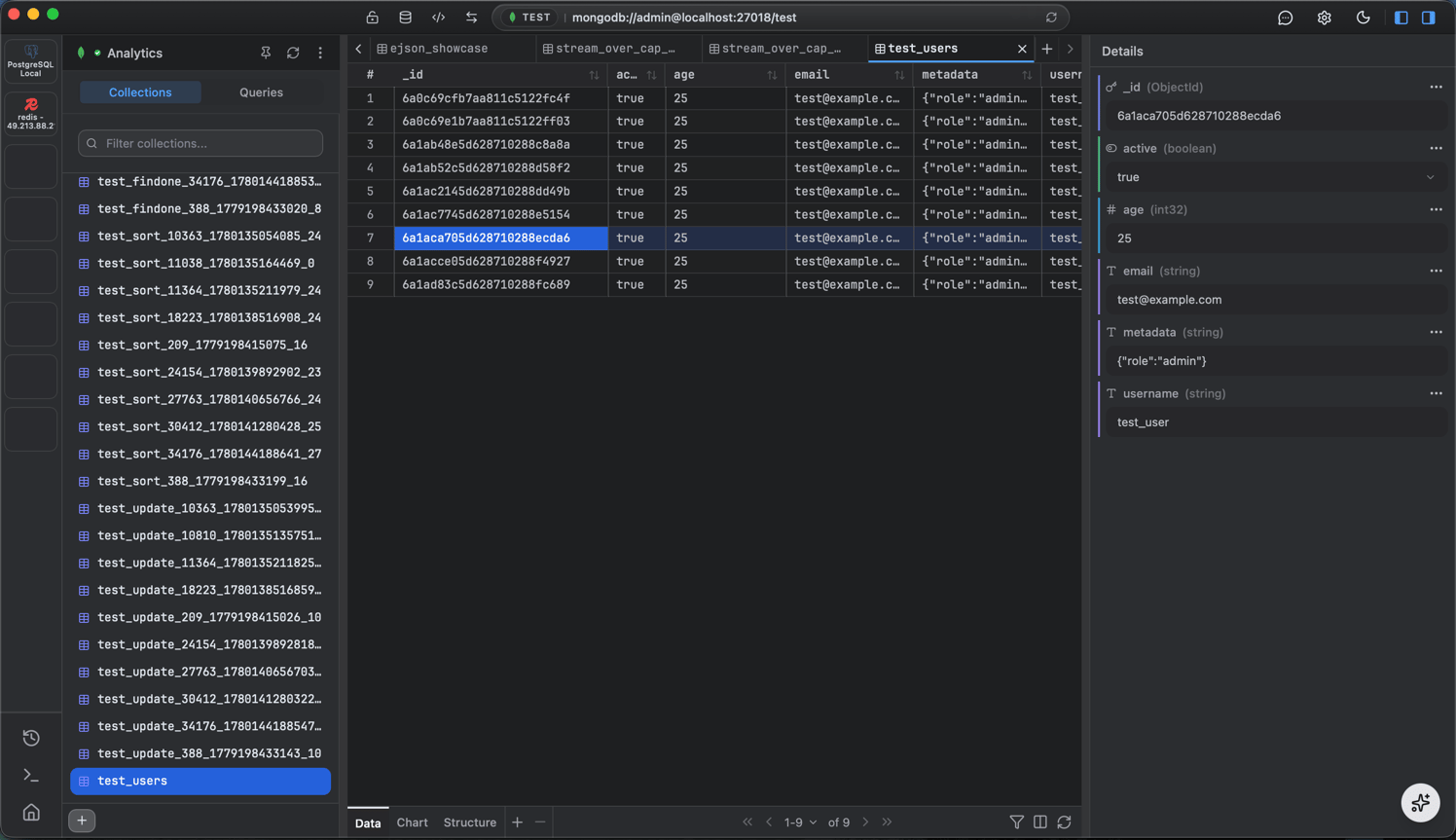 ## Collections and documents
* **Documents** are shown with Extended JSON; nested fields are fully browsable.
* A **Structure panel** summarizes a collection's fields.
## Shell-style queries
Run shell-style queries in the [query editor](/query-editor):
```js theme={null}
db.orders.find({ status: "paid" }).sort({ createdAt: -1 }).limit(50)
```
Browsing collections and documents is free. Running your own query is a NoSQL query.
Running MongoDB queries is a PRO feature.
## Collections and documents
* **Documents** are shown with Extended JSON; nested fields are fully browsable.
* A **Structure panel** summarizes a collection's fields.
## Shell-style queries
Run shell-style queries in the [query editor](/query-editor):
```js theme={null}
db.orders.find({ status: "paid" }).sort({ createdAt: -1 }).limit(50)
```
Browsing collections and documents is free. Running your own query is a NoSQL query.
Running MongoDB queries is a PRO feature.