> ## Documentation Index
> Fetch the complete documentation index at: https://docs.flextable.dev/llms.txt
> Use this file to discover all available pages before exploring further.
# AI Assistant
> Generate and explain queries with an AI provider you connect using your own key.
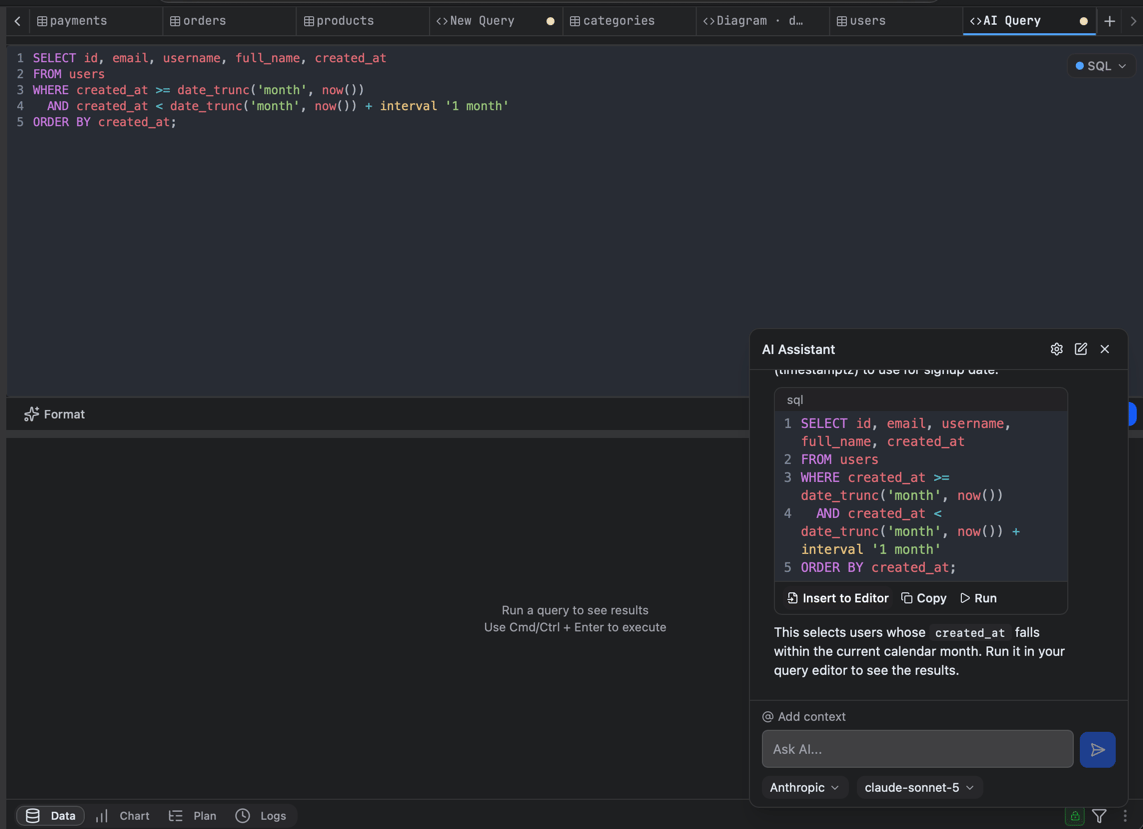
Ask the assistant to **generate** a query from a plain-language description, **explain** an existing query, or help you debug, with awareness of your current database's schema.
 ## Bring your own key
For privacy and security, **FlexTable ships with no AI keys**; you connect your own provider. Your key and requests go directly from the app to the provider you choose, nothing is routed through FlexTable.
Built-in providers: Anthropic, OpenAI, Google, OpenRouter, DeepSeek, GitHub Copilot, Ollama.
## Bring your own key
For privacy and security, **FlexTable ships with no AI keys**; you connect your own provider. Your key and requests go directly from the app to the provider you choose, nothing is routed through FlexTable.
Built-in providers: Anthropic, OpenAI, Google, OpenRouter, DeepSeek, GitHub Copilot, Ollama.
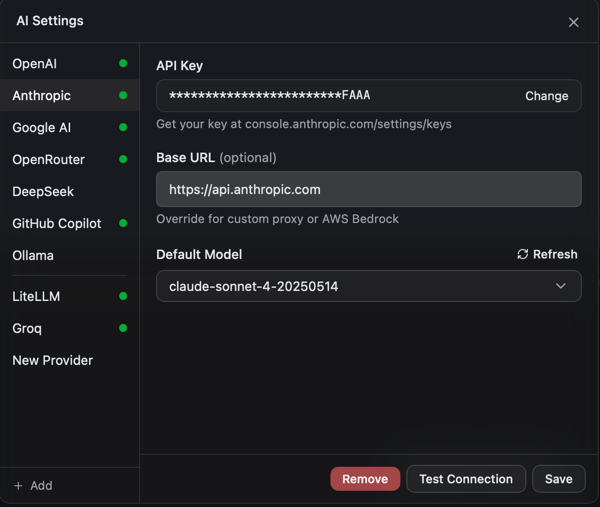 The built-in providers above are free (you bring your own key). Adding a **custom provider** with your own **base URL** (a self-hosted, proxy, or OpenAI-compatible endpoint) is a PRO feature.
**Local models too.** With a custom provider you can point the base URL at a local runtime (for example an Ollama-compatible endpoint) to keep everything on your machine.
## Use it
* Describe what you want ("top 10 customers by revenue this month") to get a query.
* Paste a query and ask for an explanation or a fix.
* Run the suggested query directly in the editor.
The AI provider you choose receives the query and schema context you send it. When your data is sensitive, use a provider you trust. See [Security and privacy](/security-and-privacy).
The built-in providers above are free (you bring your own key). Adding a **custom provider** with your own **base URL** (a self-hosted, proxy, or OpenAI-compatible endpoint) is a PRO feature.
**Local models too.** With a custom provider you can point the base URL at a local runtime (for example an Ollama-compatible endpoint) to keep everything on your machine.
## Use it
* Describe what you want ("top 10 customers by revenue this month") to get a query.
* Paste a query and ask for an explanation or a fix.
* Run the suggested query directly in the editor.
The AI provider you choose receives the query and schema context you send it. When your data is sensitive, use a provider you trust. See [Security and privacy](/security-and-privacy).